Wind
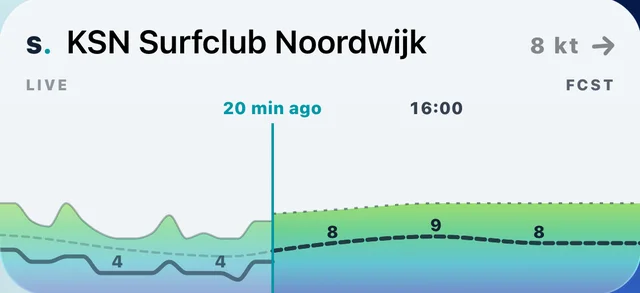
Live wind from the station matched to your spot, named on the widget. The last hours measured and the next hours forecast, with the now line between them. Tap the measured side for the station, the forecast side for the forecast.
Live wind at your spot, the week ahead, and who is out right now. On your home screen and your watch face, on iPhone, Android, Apple Watch and Wear OS. Free on every plan.
On your home screen
On your wrist
iPhone, Android, Apple Watch, Wear OS
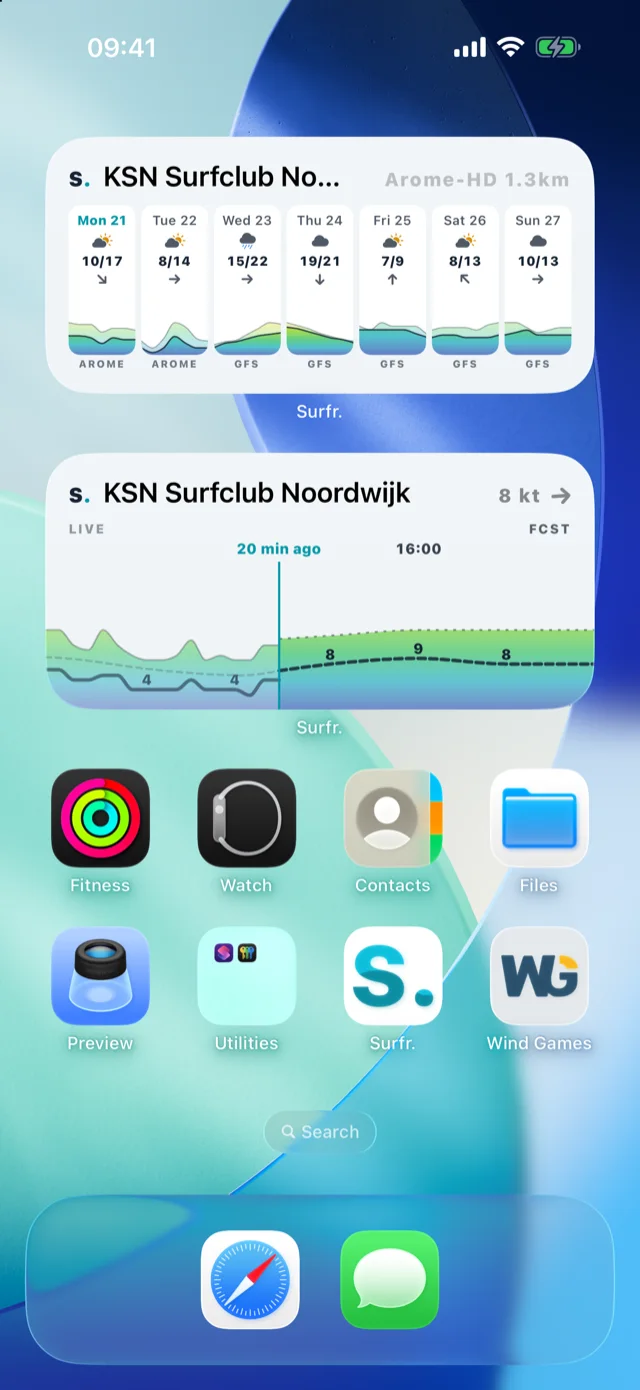
Every widget shows a spot from My Spots and comes in small, medium and large on your phone. Here they are at medium.
Live wind from the station matched to your spot, named on the widget. The last hours measured and the next hours forecast, with the now line between them. Tap the measured side for the station, the forecast side for the forecast.
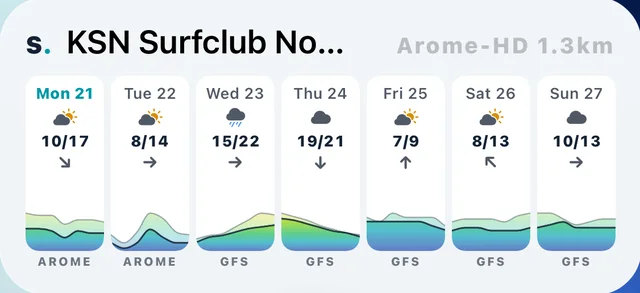
The week ahead. Wind, gusts and direction for every day, best day marked. Tap a day and the wind map opens at that day's windiest hour.
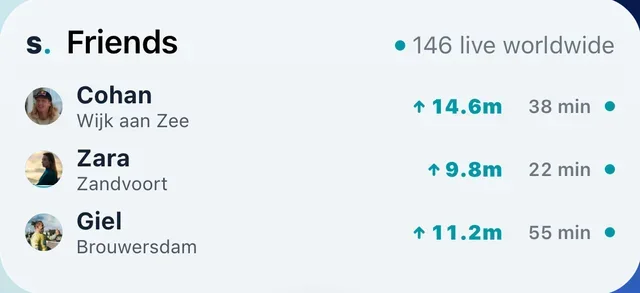
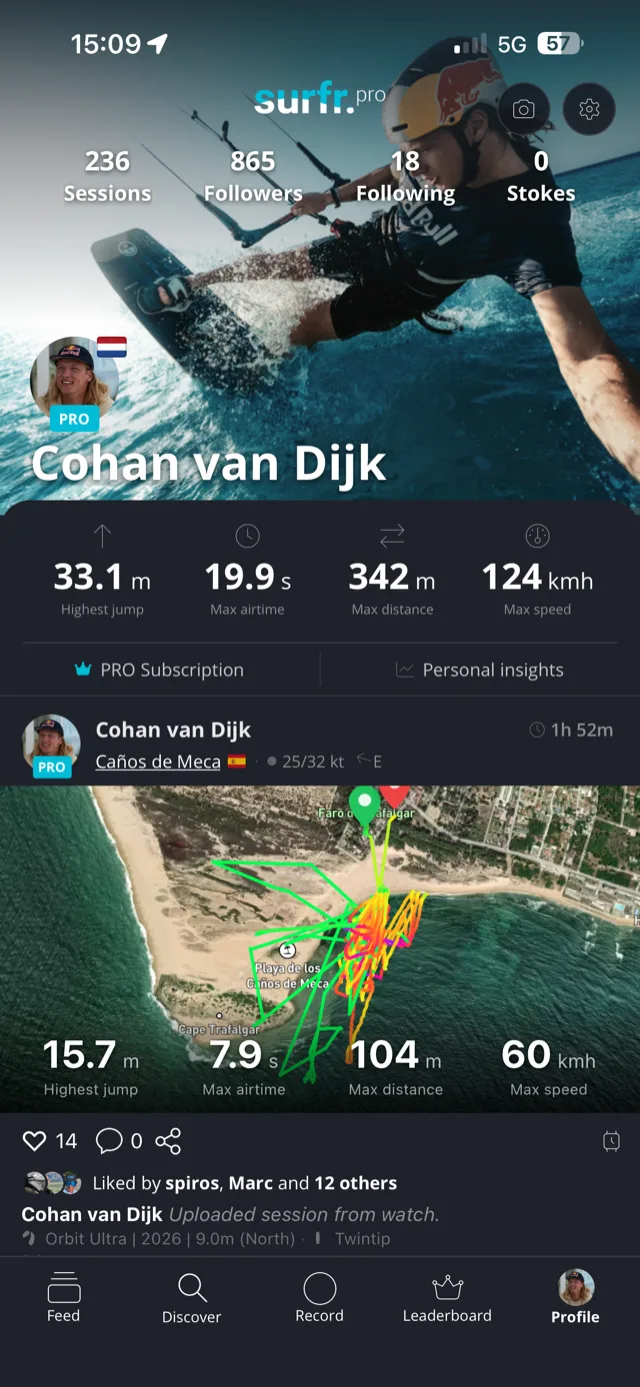
Who you follow that is out riding right now, with their spot and best jump so far. On a quiet day it shows how many riders are live worldwide.
iOS 17 and later. Three sizes of every widget, plus circular, rectangular and inline widgets for the Lock Screen.
Hold an empty part of the screen until the apps wiggle, then tap the plus in the top corner.
Swipe through the sizes and tap Add Widget. Small, medium and large each show a different amount of the same spot.
Touch and hold the widget and tap Edit Widget to pin it to one spot. Add it twice for two spots on one screen.
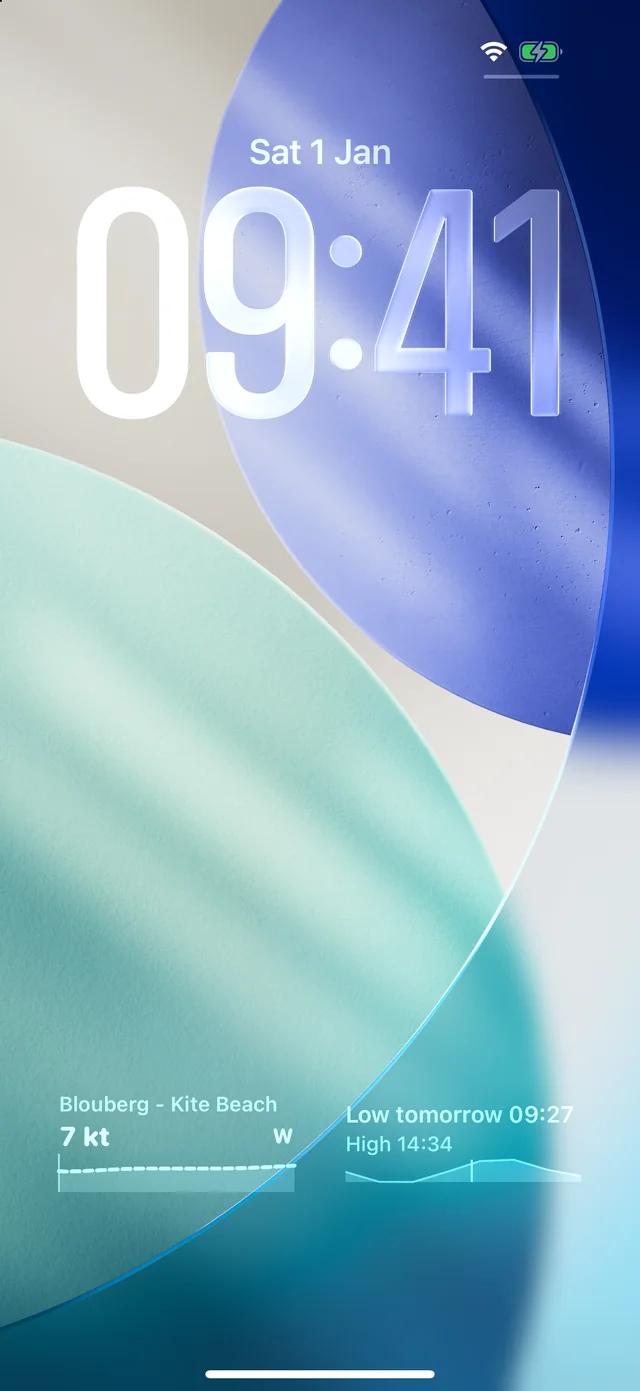
The Lock Screen: touch and hold it, tap Customize, then the widget area, and find Surfr. Wind comes as a circle with the knots, a rectangle with the trend line, or a line above the clock. Tide, on the Lock Screen only, shows when the water turns next. Lock Screen widgets use your top spot.
Android 12 and later. Every Surfr widget is resizable, from a compact stack to a full chart.
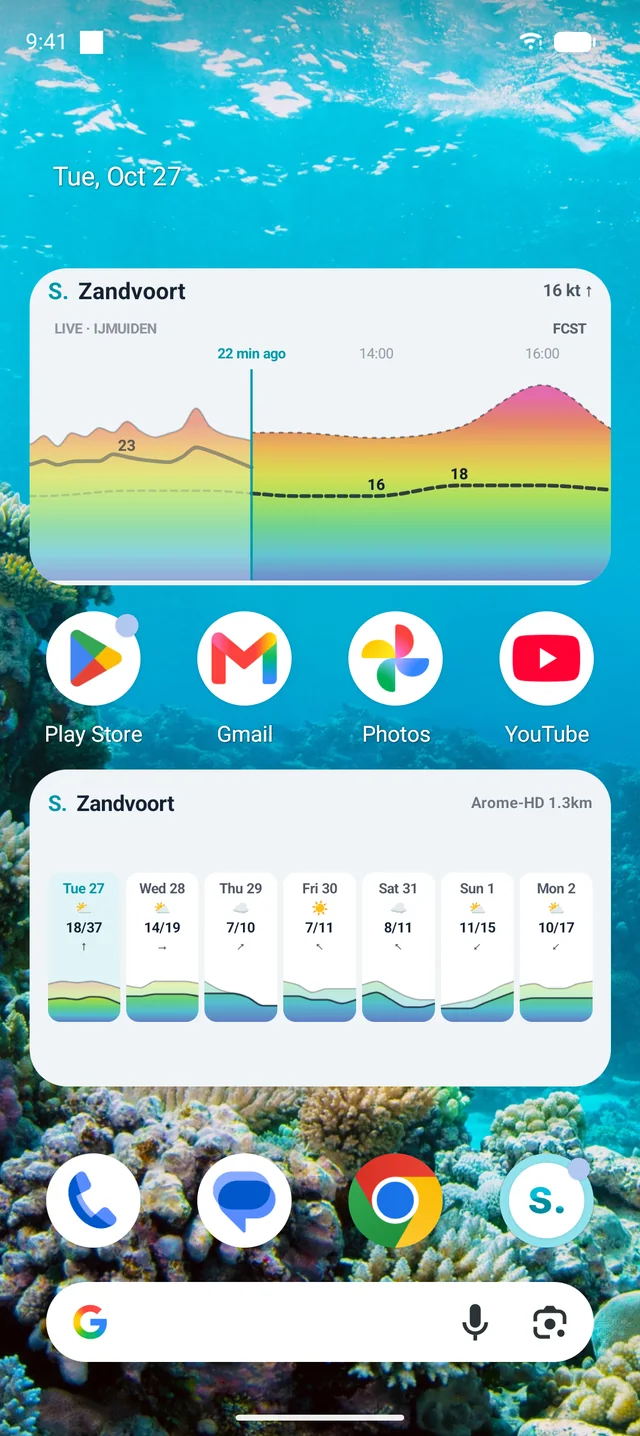
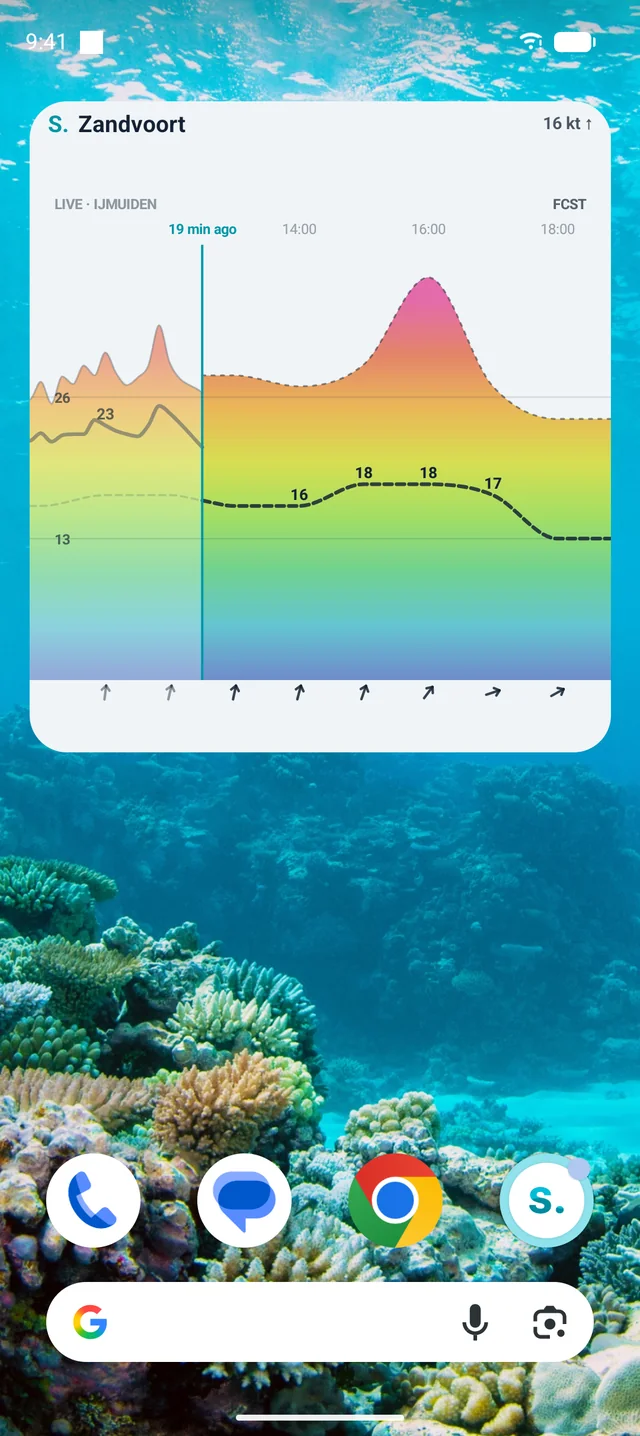
Tap Widgets, scroll to Surfr, and drop the one you want on the screen. On some phones you tap Add instead.
Surfr asks straight away. Leave it on Automatic or pick a spot. A pinned widget shows a small pin next to the spot name.
Touch and hold the placed widget, let go, and resize. Wide gives you the chart, tall and narrow the knots in large type, tall and wide the chart with a direction arrow per hour.
Tap the measured side of the Wind widget to open the station on the wind map, or the forecast side to open the forecast. Small and tall sizes open the station. On Android 15 the widget picker shows a live preview of each widget before you add it.
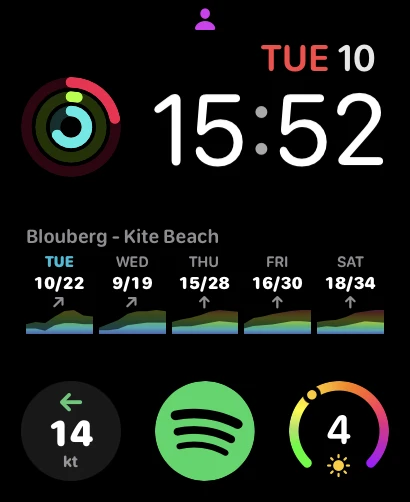
watchOS 10 and later. Wind, Forecast, Week and Friends complications for every slot a face offers, and in the Smart Stack.
Swipe left to the complications page and tap a slot.
Every complication is listed twice. The plain entry is Automatic and follows your top spot. The entries with a spot name, like Wind · Zandvoort, stay on that spot.
Saved. Tap any Surfr complication and the watch app opens the wind timeline for that spot. On Week, tap a day to jump straight to it.
Wind refreshes every 45 minutes, Forecast and Week every 6 hours. Complications show the same station as the Wind widget on your phone, and a reading counts for 60 minutes. After that they show a dash, not a guess.
Wear OS 3 and later, Galaxy Watch 4 and newer, Pixel Watch. Four tiles and a wind complication.
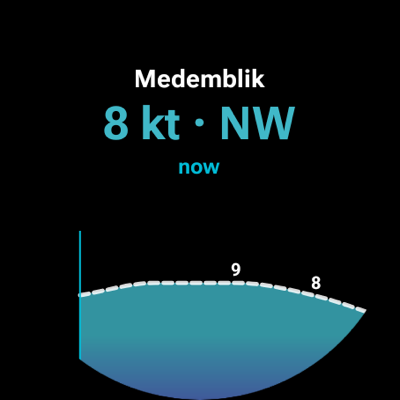
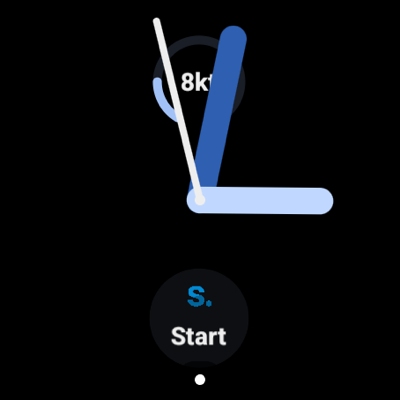
Touch and hold any tile, swipe to the end and tap the plus. Scroll to Surfr and pick Wind, Forecast, Week or Friends.
Touch and hold the face, tap Customize, tap a slot and choose Surfr Wind for the knots at your spot.
Tiles follow your top spot in My Spots on your phone. To keep the watch on one spot, open Surfr on the watch, Settings, Tile spot.
The Wind tile refreshes every 30 minutes and whenever you open it. Tap it to open Live Wind on the watch. Tap Forecast or Week to open the wind timeline.
Every widget shows a spot from My Spots. On Automatic it shows the top spot, and Surfr keeps that spot pointed at the favourite nearest you. Ride at home and it shows your home spot. Land somewhere for a week and it shows the spot down the road, without you touching a thing.
Pin a widget when you want one place, always. On iPhone, touch and hold it and tap Edit Widget. On Android, tap the pencil. On Apple Watch, pick the entry with the spot name. On Wear OS, set Tile spot in the watch app. Add the same widget twice, pinned to two spots, and both sit on one screen.
Yes, on every plan, with as many favourite spots as you like. On Free the widget forecast uses a global weather model. Plus and Pro add the high-resolution regional models.
A spot from My Spots. On Automatic it shows the top spot, which Surfr keeps pointed at the favourite nearest you. A pinned widget stays on the spot you chose until you change it.
Live wind every 10 to 15 minutes on your phone, and the forecast a few times a day. On Apple Watch, wind every 45 minutes and the forecast every 6 hours. On Wear OS, wind every 30 minutes and whenever you open the tile. The system can stretch these to save battery. Opening Surfr refreshes every widget at once.
The station Surfr matches to your spot, the same one as on the spot page, and its name is on the widget. It can be an official station or one a rider shares. To use another one, change it on the spot page under Live wind. Have a station of your own? Add it at thesurfr.app/stations.
The station at that spot sent no readings in the last 60 minutes, so there is no live wind to show. The widget shows the forecast value with a tilde, like ~7 kt, so you know it is a model number. The watch shows a dash instead. Live wind comes back on its own when the station reports again. Personal weather stations drop out more often than official ones.
Surfr is free to download and free to use for tracking, leaderboards, and the social feed. Plus and PRO unlock deeper analytics. You can try both for two weeks before you commit.
Free. No credit card required.